Table of Contents
VoIP or Voice over Internet Protocol has many advantages over traditional telephone service, this includes lower costs, flexibility, and portability. Switching to VoIP is normally easy and hassle-free. However, if you have been unfortunate and have encountered issues, no do be dismayed as there is always a solution to a problem. Here are the 10 most common VoIP issues and how to solve them:
1. Low call quality issues
One of the most common VoIP problems is poor call quality. If you're experiencing call quality issues, chances are your network's bandwidth is full, or you have network instability. Audio quality is going to fall back to the most reliable, lower-bandwidth audio formats to not drop the call. If you're experiencing audio quality problems, there are a few things you can do to try to improve your call quality:
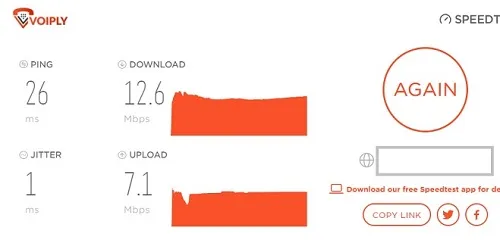
- Perform an Internet/VoIP speed test to check your internet and to make sure the issue is not coming from your Internet service provider. A strong, consistent internet is key to good VoIP call quality. If you're on a wireless connection, try moving closer to your router or connecting directly to your modem with an Ethernet cable.
- Disable SIP ALG from your router settings.
- Restart your VoIP devices. If you're still having trouble, reboot your computer, router, and any other devices you're using for your VoIP calls.
- Check for background noise. Background noise can interfere with your VoIP calls, making it difficult to hear the other person on the line. If you're in a noisy environment, try using a headset or moving to a quieter location.
- Update your software and drivers. Outdated software and drivers can cause all sorts of problems, including poor call quality. Be sure to keep your VoIP software and drivers up to date.
2. One-way audio
One-way audio is another common VoIP issue. If you can hear the other person on the line but they can't hear you, you are experiencing one-way audio issue. The most common cause of one-way audio is a misconfigured router or firewall. It can also be caused by poor internet connection which causes high latency or packet loss. There are a few things you can try to resolve a one-way audio issue before contacting your VoIP provider:
- Check your microphone. Make sure your microphone is plugged in and turned on. If you're using a headset, be sure the mute switch is turned off. If other devices are available, switch to them to check if the issue is not with the phone or the device itself.
- Perform an Internet/VoIP speed test to check your internet and to make sure the issue is not coming from your Internet service provider. A strong, consistent internet is key to good VoIP call quality. If you're on a wireless connection, try moving closer to your router or connecting directly to your modem with an Ethernet cable.
- Check your audio settings. In your VoIP app/software, check to see if your microphone is selected and the volume is turned up.
- Check for background noise. Again, background noise can interfere with your VoIP calls. If you're in a noisy environment, try using a headset or moving to a quieter location.
- Check your router or firewall settings and make sure that they're not blocking any of the necessary ports for VoIP. Make sure your router is allowing UDP traffic, disabling your router's SIP ALG feature often resolve this issue.

3. Echoes during VoIP calls
Those that experience echo when making VoIP calls may experience three problems: device lag or latency of headsets. The best way to resolve VoIP problems is to check the phone's components first. Do these websites offer updates? Are the connections correct? Are there any damages? Has anyone ever unplugged or replaced the plug with the same one? Check the call after examining the device. Often the buffers are empty so that the phone can synchronize with the service. If you're using a headset that's different than your current phone, then you're probably just gonna face issues. Bluetooth is a good device, though no perfection. If you can still hear your voice echoed back to you, there are a few things you can try:
- Check your microphone. Make sure your microphone is not muted and the volume is turned down.
- Check your audio settings. In your VoIP software, check to see if the echo cancellation feature is turned on.
- Check for background noise. Background noise can cause echo, so if you're in a noisy environment, try using a headset or moving to a quieter location.

4. Static
Static on a VoIP call can be caused by any number of things, from interference on the line to connection issues. In most cases, static is due to some sort of problem with the connection between the two devices. This could be anything from a poor internet connection to bad wiring. If you're experiencing static on your VoIP calls, the first step is to check your connection and make sure everything is set up properly. If the problem persists, there are a few other things you can try:
- Perform an Internet/VoIP speed test to check your internet and to make sure the issue is not coming from your Internet service provider. A strong, consistent internet is key to good VoIP call quality. If you're on a wireless connection, try moving closer to your router or connecting directly to your modem with an Ethernet cable.
- Check for background noise. Background noise can cause static, so if you're in a noisy environment, try using a headset or moving to a quieter location.
- Restart your VoIP devices. If you're still having trouble, reboot your computer, router, and any other devices you're using for your VoIP calls.
5. Jitter
Jitter is another common VoIP issue. If you're experiencing jitter, you may hear a choppy voice or broken-up audio. The voice messages are sent to your system chronologically. Network congestion can sometimes affect how the voice communication is handled and transmitted and generally, jitters occur. Tell me the cause of my anxiety? It is strange and makes certain things you talk about can be confused and sometimes lost in the conversation. Thousands of data packets travel at the same time over IP networks and different arrivals are caused by the problem. VoIP enables you to simplify the conversion process into data in the form of smaller chunks of text or video.
There are a few things you can try to reduce jitter:
- Perform an Internet/VoIP speed test to check your internet and to make sure the issue is not coming from your Internet service provider. A strong, consistent internet is key to good VoIP call quality. If you're on a wireless connection, try moving closer to your router or connecting directly to your modem with an Ethernet cable.
- Restart your VoIP devices. If you're still having trouble, reboot your computer, router, and any other devices you're using for your VoIP calls.
- Update your software and drivers. Outdated software and drivers can cause all sorts of problems, including jitter. Be sure to keep your VoIP software and drivers up to date.

6. Delayed audio
Delayed audio is another common VoIP issue. If you're experiencing delayed audio, you may hear a slight echo or lag on your calls. It is normally caused by internal network congestion, but sometimes it will be difficult to limit network usage.
There are a few things you can try to reduce delayed audio:
- Perform an Internet/VoIP speed test to check your internet and to make sure the issue is not coming from your Internet service provider. A strong, consistent internet is key to good VoIP call quality. If you're on a wireless connection, try moving closer to your router or connecting directly to your modem with an Ethernet cable.
- Check your audio settings. In your VoIP software, check to see if the automatic gain control (AGC) feature is turned on. AGC can cause delayed audio, so you may want to turn it off.
- Restart your VoIP devices. If you're still having trouble, reboot your computer, router, and any other devices you're using for your VoIP calls.
- Use a router with a QoS feature or upgrade your router to an enterprise router with greater priority for VoIP communications.
7. Distorted audio
Distorted audio is another common VoIP issue. If you're experiencing distorted audio, you may hear static, crackling, or choppy audio on your calls. There are a few things you can try to reduce distorted audio:
- Check your microphone. Make sure your microphone is not muted and the volume is turned down.
- Check your audio settings. In your VoIP software, check to see if the automatic gain control (AGC) feature is turned on. AGC can cause distorted audio, so you may want to turn it off.
- Restart your VoIP devices. If you're still having trouble, reboot your computer, router, and any other devices you're using for your VoIP calls.
8. Dropped calls
Dropped calls is another common VoIP issue. What causes dropped calls VoIP? Dropped calls in VoIP are usually caused by an unstable internet connection, incorrect router settings, or network traffic that your Internet provider cannot handle. If you're experiencing dropped calls, there are a few things you can try:
- Perform an Internet/VoIP speed test to check your internet and to make sure the issue is not coming from your Internet service provider. A strong, consistent internet is key to good VoIP call quality. If you're on a wireless connection, try moving closer to your router or connecting directly to your modem with an Ethernet cable.
- Disable SIP ALG from your router settings.
- Restart your VoIP devices. If you're still having trouble, reboot your computer, router, and any other devices you're using for your VoIP calls.
- Check for background noise. Background noise can cause dropped calls, so if you're in a noisy environment, try using a headset or moving to a quieter location.
9. Unable to receive phone calls
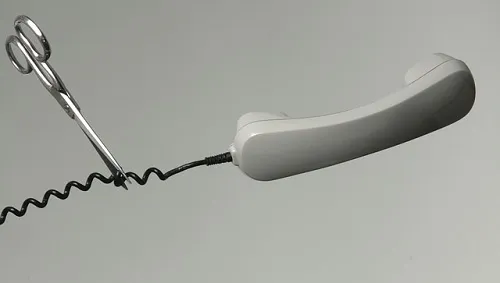
There are a few possible reasons you are not able to receive inbound calls. There might be an issue with your Internet connection, your VoIP service may be down, your VoIP phone may be defective, your phone number wasn't properly assigned to your device, or there might be phone routing settings may need tweaking. If you're unable to receive calls, there are a few things you can try:
- Perform an Internet/VoIP speed test to check your internet and to make sure the issue is not coming from your Internet service provider. A strong, consistent internet is key to good VoIP call quality. If you're on a wireless connection, try moving closer to your router or connecting directly to your modem with an Ethernet cable.
- Restart your VoIP devices. If you're still having trouble, reboot your computer, router, and any other devices you're using for your VoIP calls.
- Check your audio settings. In your VoIP software, check to see if the automatic gain control (AGC) feature is turned on. AGC can cause poor call quality, so you may want to turn it off.
- Update your software and drivers. Outdated software and drivers can cause all sorts of problems, including poor call quality. Be sure to keep your VoIP software and drivers up to date.

10. Unable to make outbound calls
There are a few possible reasons you are not able to make outbound calls. There might be an issue with your Internet connection, your VoIP service may be down, your VoIP phone may be defective, and your outgoing calls may have been restricted or disabled by your VoIP provider. If you're unable to make calls, there are a few things you can try:
- Perform an Internet/VoIP speed test to check your internet and to make sure the issue is not coming from your Internet service provider. A strong, consistent internet is key to good VoIP call quality. If you're on a wireless connection, try moving closer to your router or connecting directly to your modem with an Ethernet cable.
- Restart your VoIP devices. If you're still having trouble, reboot your computer, router, and any other devices you're using for your VoIP calls.
- Check your VoIP settings. In your VoIP software, check to see if the outgoing caller ID feature is turned on. If it's not, you won't be able to make or receive calls.
- Update your software and drivers. Outdated software and drivers can cause all sorts of problems, including the inability to make or receive calls. Be sure to keep your VoIP software and drivers up to date.
Final Words
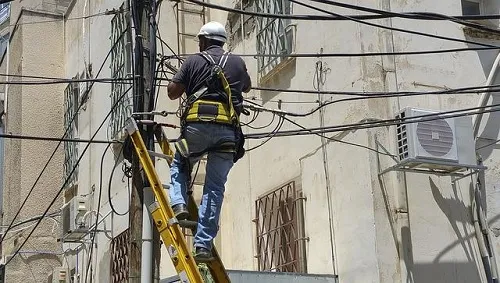
If you're still experiencing issues after trying these tips, contact your VoIP provider for help. They may be able to provide additional troubleshooting assistance or tweak some settings to solve your concerns.
I hope this article was helpful. If you have any questions or comments, feel free to chat with our Support Team.
MONEY BACK GUARANTEE

SMS to Email
Announcements
Voicemail to Email
Call Forwarding
Toll Free / Vanity Number
or call (844) 843-4175
MONEY BACK GUARANTEE
Free Desk Phone
Desktop & Mobile Apps
Local and Toll Free Numbers
Voicemail to Email
Text Messaging
Unlimited Calling
or call (844) 843-4174
MONEY BACK GUARANTEE

No Apps. No Texts. No Distractions.
No Strangers Allowed
Quiet Time Protected
Unlimited Calling
Emergency-Ready
or call (844) 843-4175
MONEY BACK GUARANTEE
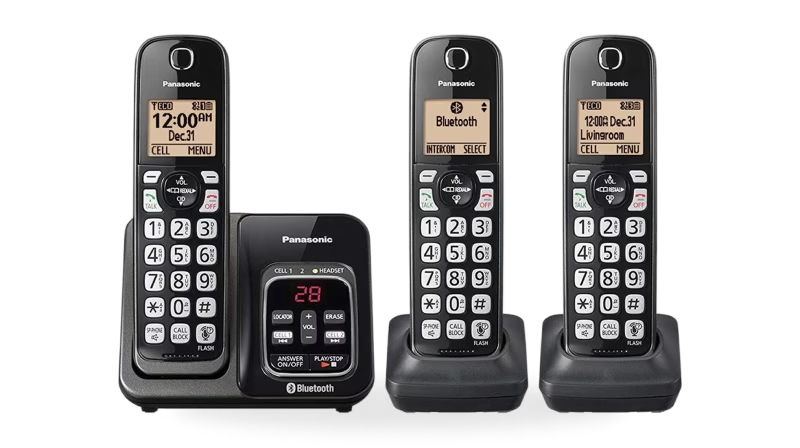
Unlimited phone service
Keep your existing number
Free adapter & free shipping
No contracts/setup fees
Use existing analog phone
or call (844) 843-4175
MONEY BACK GUARANTEE


Unlimited Phone Service
Keep Your Existing Number
Free Adapter, Free Shipping
No Contracts/Setup Fees
Use Existing Analog Phone
or call (844) 843-4175
MONEY BACK GUARANTEE
Desktop and Mobile App
Email To Fax
Dedicated Fax Number
Easily Fax Documents
No Contracts/Setup Fees
or call (844) 843-4175
MONEY BACK GUARANTEE
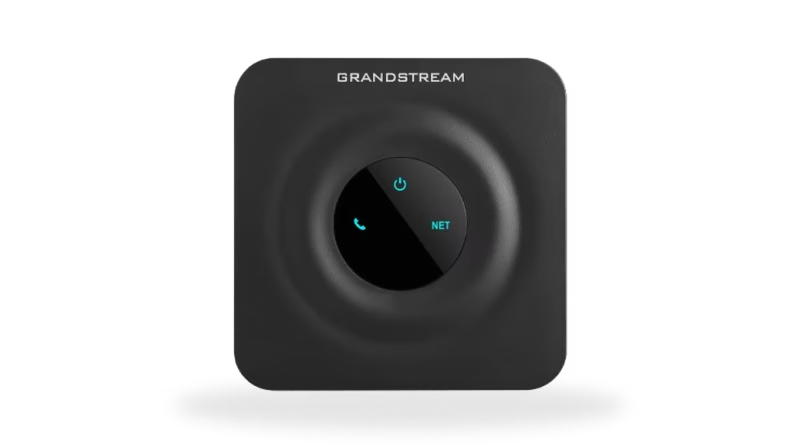
Flexible Plans
Everywhere Connectivity
High-Speed Internet on the Go
Reliable Internet Connection
Easy Setup and Access
or call (844) 843-4175