Is Starlink Available in my State?
Discover the groundbreaking connectivity of Starlink as it becomes readily accessible across all states in the United States and Canada.


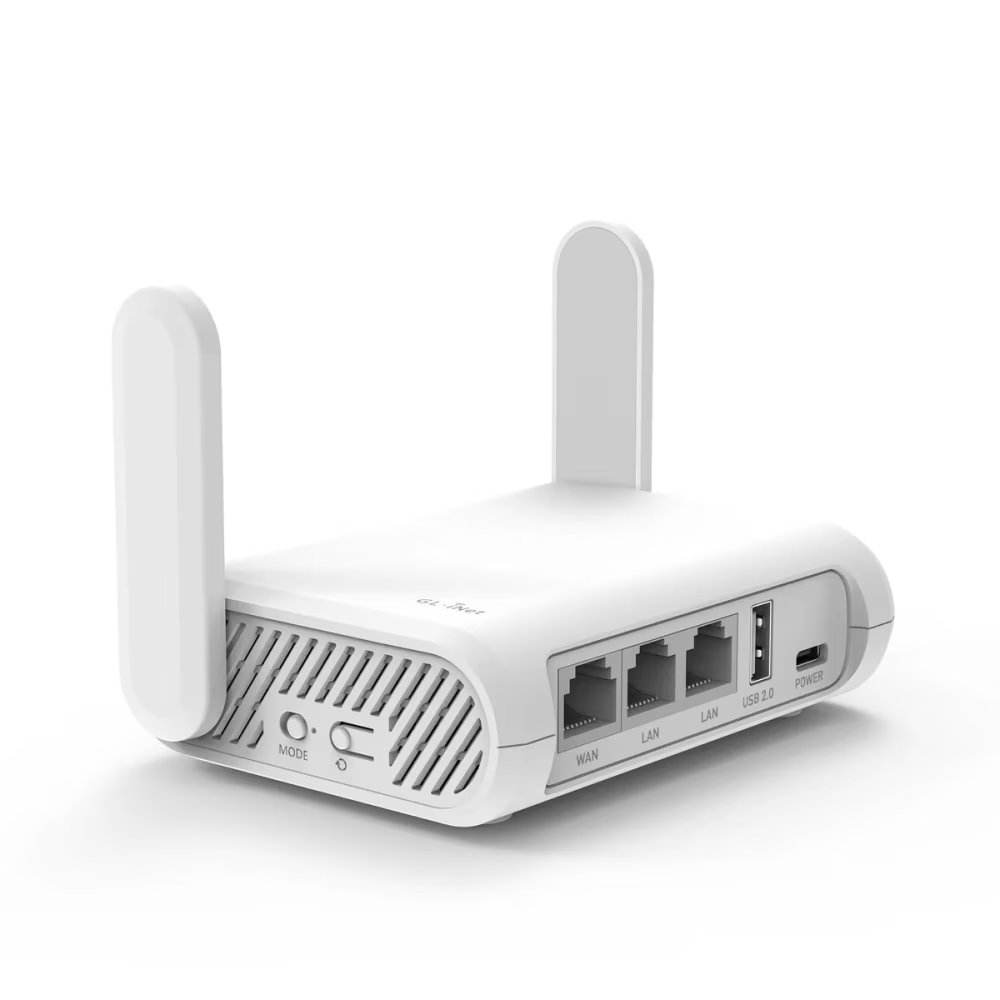
Starlink Compatible Router
The Voiply Router is a highly recommended device for T-Mobile, Verizon, Xfinity, and Starlink customers. It's designed to resolve all network-related issues associated with NAT traversal and SIP ALG. This router creates a direct, encrypted connection from your home to Voiply's servers. Even better, it's compatible with your existing router/modem. The company guarantees its effectiveness, offering a money-back promise if it doesn't work as expected.
* Get a full refund if it doesn't solve your voip issues
Frequently Asked Questions
Get answers to common questions about Starlink, features, VoIP compatiblity, and more.
Poor VoIP call quality can be due to several factors including network congestion, low bandwidth, packet loss, jitter, or hardware issues.
Starlink Internet is gradually expanding its coverage worldwide. Currently it is available in all states in US and Canada.
To access Starlink Internet, you need a user terminal (dish antenna), a power supply, and a router for connecting your devices. The user terminal and power supply are provided by Starlink when you subscribe to their service.
Yes, Starlink Internet is suitable for gaming and streaming. With its low latency and high-speed capabilities, it offers a reliable and responsive internet connection that supports online gaming and streaming services.
Starlink does not impose any specific data caps or throttling on its internet service. However, it's always recommended to refer to Starlink's official website or contact their customer support for the most up-to-date information regarding their policies.
Starlink Internet utilizes a network of satellites in space that communicate with ground stations and user terminals (dish antennas) to deliver internet connectivity. The satellites relay signals between the user terminal and the ground stations, enabling internet access.
Starlink Internet aims to provide high-speed internet access, with download speeds ranging from 50 Mbps to 150 Mbps, and upload speeds from 10 Mbps to 40 Mbps. However, speeds can vary based on network congestion and other factors.
The cost of Starlink Internet varies depending on the region and specific pricing plans. It's best to visit Starlink's website or contact their customer support for the most up-to-date information on pricing in your area.
Starlink Internet has several advantages over traditional ISPs, including its ability to reach remote or rural areas with limited connectivity options. It also offers low latency, which is beneficial for real-time applications like online gaming and video conferencing.
Yes, Starlink Internet can be used with VoIP (Voice over Internet Protocol) phone services. The low-latency and reliable connection provided by Starlink make it suitable for VoIP calls, ensuring clear and uninterrupted voice communication over the internet.
Unlimited Home Phone Service for $8.95/mo
Homeowners are unbundling their phone lines and switching to VoIP as high-speed internet becomes more available. Average Voiply customer saves $380 a year.
Or talk to an Expert at (844) 843-4175
Starlink Speed Test
Starlink provides residential customers with internet plans starting at $90 per month. With Starlink, you can enjoy unlimited high-speed internet, with download speeds averaging between 100 Mbps to 200 Mbps. This makes it an excellent option for those living in rural or remote areas who are seeking reliable high-speed internet access.
Voiply Compatible Router
The Voiply Compatible Router is a highly recommended device for T-Mobile, Verizon, Xfinity, and Starlink customers. It's designed to resolve all network-related issues associated with NAT traversal and SIP ALG. This router creates a direct, encrypted connection from your home to Voiply's servers. Even better, it's compatible with your existing router/modem. The company guarantees its effectiveness, offering a money-back promise if it doesn't work as expected.
Talk to an Expert at (844) 843-4175
VoIP Audio Quality FAQs
Discover answers to frequently asked questions regarding VoIP quality issues.
Poor VoIP call quality can be due to several factors including network congestion, low bandwidth, packet loss, jitter, or hardware issues.
Improving the sound quality of VoIP calls can be achieved by ensuring a stable internet connection, using high-quality audio devices, and configuring your VoIP settings correctly.
Yes, your internet connection can significantly affect your VoIP audio quality. A stable and high-speed connection is necessary for clear VoIP calls.
Using a headset can indeed improve your VoIP call quality. Headsets can reduce background noise and prevent feedback between speakers and the microphone.
'Jitter' in VoIP is the variation in delay of received packets. High jitter can cause choppy audio or temporary freezes. Using a wired connection, upgrading your internet plan, or using a jitter buffer can help reduce this issue.
Yes, if you're using a Wi-Fi connection for your VoIP calls, the distance from your router can affect call quality. Closer proximity to the router generally provides a stronger and more stable connection.
Echo in VoIP calls can be caused by latency or feedback from the speakers into the microphone. Using a headset instead of speakers can often resolve this issue.
Static during VoIP calls could result from problems with your hardware, such as your microphone, speakers, or headset. Try testing with different devices to see if the problem persists.
Packet loss refers to data being lost during transmission. In VoIP calls, this can lead to missing pieces of conversation and reduced call quality. This is often caused by network congestion.
Delays or lags during VoIP calls, also known as latency, can be caused by network issues. Upgrading your internet plan or optimizing your network settings can help reduce latency.
Sudden drops in VoIP calls can be due to unstable internet connections or network congestion. It could also be a result of insufficient bandwidth if multiple devices are using the network simultaneously.
VoIP systems often include noise suppression techniques to minimize background noise. However, the effectiveness can vary. Using a high-quality headset with noise-canceling features can further help to reduce background noise.
Unlimited Home Phone Service for $8.95/mo
Homeowners are unbundling their phone lines and switching to VoIP as high-speed internet becomes more available. Average Voiply customer saves $380 a year.
Talk to an Expert at (844) 843-4175