Available 24/7/365
Talk to an Expert
Open 24/7/365

WFH & VoIP: make it happen!

landline phone
Written by
Martin Montemayor
Published on
December 22, 2025
Read Time
4
min read time
Loading the Elevenlabs Text to Speech AudioNative Player...

There are many reasons why people decide to work from home. Some for extra income, others for a more flexible schedule that allows them to spend more time with family. Whatever the reason, working from home can be a great option - but it's not always easy to get started. If you're considering this route, this blog aims to help you in your journey.

A clean workspace featuring an Apple iMac, a white keyboard, a cup of coffee, and a red container filled with colored pencils.
Work station, work from home, cup of coffee

Pros and cons in working from home

Before deciding to work from home, it's important to weigh the pros and cons. Some benefits to working from home are having a flexible schedule, being able to work in your pajamas, and avoiding a commute. Others say working from home saves them stress from having to deal with office drama and toxic work environment. Another advantage is that people are able to save money; expenses like gas, commute fare, work clothes, expensive lunch meals are significantly less, if not non-existent.

On the other hand, there are also some downsides to working from home. Remote workers sometimes feel isolated from colleagues. Also, distractions like noisy family members, neighbors, or environments, or needy pets can also be a dealbreaker. For many freelancers, income can be unstable or unpredictable, and clients/employers may or may not provide benefits. There is also the issue of job instability, especially for newly-established employers. You may also need to spend on your own work equipments such as computers, work desk, ergonomic chair, Internet connection, and quiet workspace; Unless your client/employer has budget to provide them for you.

Personally, I still prefer working from home. The advantages definitely outweighs the disadvantages, and you can, you always find ways around issues such as by choosing clients/employers who fit your criteria, and budget; and you can take control by creating an ideal quiet workspace for yourself.
An illustrated icon showing a clipboard with a checklist, a pencil, and a stopwatch on a blue circular background.
Schedule, set goals, finish tasks

How to get started

There are a number of websites that specialize in connecting remote workers with employers, such as Upwork, FlexJobs, Fiverr, and Remote.co. You can also search job boards or company websites to see if they have any work-from-home openings. Be diligent in your research to avoid scams and fly-by-night employers/clients.

To get started, you need to assess your skills and tasks you'd be happy to take on. Do you have any experience in customer service? Can you type quickly and accurately? Do you have a quiet place to work from home? These are all important factors to consider when looking for a work-from-home job. Once you have all these figured out, you'll need to update your resume and personal info profile on those websites. This will help potential employers in making the decision to consider and hire you. Once you are done updating your profile, you may start searching for remote work opportunities, and submit your applications.

Another route is to start your own home-based business. This can be a great option if you have some entrepreneurial experience or an idea for a business that you think could be successful. Of course, starting your own business takes a lot of work and dedication, but it can be a great way to make money from home.
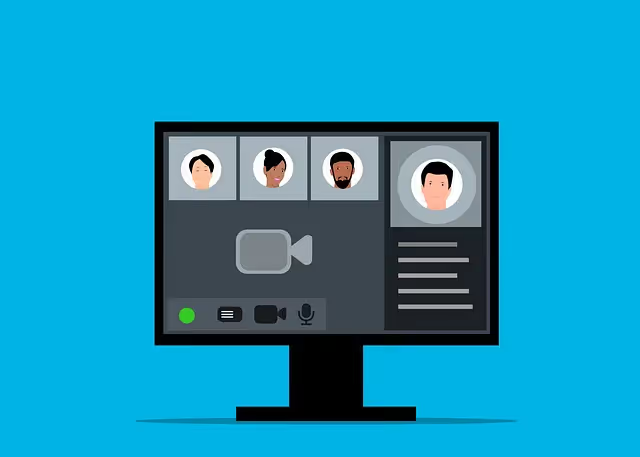
A computer screen displaying a video conference interface with participant icons and control buttons on a blue background.
Online meetings, webcam, video call

Interview Process

After you've applied for a work-from-home job or contract, the next step is usually an interview. The interview process for a remote job is similar to that of a traditional job, but there are a few key differences. For one, you'll likely be interviewed via video call or phone call instead of in person. This means you'll need to make sure you have a quiet, distraction-free space to for the interview. You'll also need to be able to articulate why you're a good fit for the job, even if you don't have in-person work experience.

To prepare for a work-from-home interview, start by doing your research on the company and the role you're applying for. Make sure you have a good understanding of the job requirements and the company's culture. Then, practice answering common interview questions out loud, so that you're comfortable with the format. Finally, make sure to dress professionally for the interview, even if it's just a video call.

No one is contacting me

If you've applied to several work-from-home jobs but haven't received any response. There are a few reasons that may not be anyone's fault, such as job is already filled in, the employers are busy, or too many applicants. However, let us not worry about things we cannot control, and instead focus on things we can do to maximize your chances.

First, make sure your resume and cover letter are up-to-date and tailored to the job you're applying for. If you're not sure how to do this, there are a number of resources available, such as resume writing services or career coaches.

Second, take a close look at the jobs you're applying for and make sure you meet all of the qualifications. If you don't, it's unlikely you'll be contacted for an interview.

Third, reach out to your network of contacts and see if anyone knows of any work-from-home job openings that may be a good fit for you.

Finally, if you've tried all of the above and still haven't had any luck, don't lose hope. Just like any other job application, the time it takes for employers to respond on your application may vary. If it's more than a week, it may be a good idea to call them or send a follow up message, this gives employer the impression that you are really interested. Don't give up and remain optimistic, keep applying for jobs, and eventually you'll land one.

Close-up of two people in business attire shaking hands inside a modern office setting.
Hired, agreement, handshake

I got hired, now what?

If you're hired for a work-from-home job, congratulations the difficult part is over! Here are some helpful tips coming from seasoned work-from-home professionals:

Create a dedicated workspace in your home. This will help you stay focused and avoid distractions while you're working.

Set up a daily schedule and stick to it. This will help you stay on track and be productive while working from home.

Make sure to take breaks throughout the day. Get up and walk around, or step outside for some fresh air. Always make time to exercise, it doesn't have to be lengthy 10-20 minutes of exercise (walking) everyday will suffice. This will help you avoid burnout and maintain a healthy work-life balance.

Stay in communication with your employer. Check in regularly and let them know how you're doing. This will help them stay updated on your progress and ensure that they're happy with your work.

Master your current skills and keep learning new ones. The most successful remote employees are those who are self-taught and master of their craft. In addition, the more skills you have, the more jobs you can get and get to keep.

By following these tips, you can set yourself up for success in your new work-from-home job. And who knows? You might even fall in love at working from home and will never want to work in an office outside your house ever again (just like me, lol).

VoIP for remote work

To help you be more successful in work-from-home life, getting VoIP service is another thing to consider. Even at a work-from-home setup, chances are you'll still need to use some form of VoIP (Voice over Internet Protocol) or phone system in order to communicate with your current or potential employers, and future customers.

VoIP is a type of IP phone service that uses the internet instead of traditional phone lines. This means that you can make and receive calls from anywhere in the world, as long as you have an internet connection. VoIP is often more affordable than traditional phone service, and it offers a number of features that can be beneficial for remote workers, such as call forwarding, caller ID, and voicemail. Many business have already switched to VoIP. Since it's relatively cheaper nowadays, you can also get it for your business or work-from-home communication needs.

There are a number of VoIP providers that offer free trials. This can be a great way to try out the service and see which is the right VoIP provider for you.

A close-up view of a VoIP desk phone keypad with the voicemail indicator button lit red.
VoIP phone, call, voicemail

How do I get VoIP phone service?

As we've learned already, VoIP can be a great help. VoIP is a technology that allows you to make and receive phone calls over the internet, using a broadband connection instead of a traditional phone line. This can be a great way to save money on your phone bill, as well as giving you the flexibility to work from anywhere.

There are a few things you'll need to get started with VoIP:

  1. A broadband internet connection: This is the most important thing you'll need, as it's what will allow you to make and receive calls over the internet. Make sure you have a good, reliable broadband connection before you get started.
  2. A VoIP service provider: There are a few different VoIP services available, and you'll need to choose one that's right for you. Do some research and find a service that offers good call quality and reliability, as well as a price that fits your budget.
  3. A VoIP adapter: This is a small device that plugs into your broadband router and allows you to use your regular home phone with VoIP. Most VoIP services will send you an adapter when you sign up, but you can also purchase one from a electronics store.

Once you have all of these things, you're ready to start making and receiving calls with VoIP. Just remember to choose a service that offers good call quality and reliability, so you can be sure your calls will always go through.

Friendly cartoon illustration of a man using a laptop and giving a thumbs-up gesture.
Happy employee, thumbs up, laptop, remote worker

Final thoughts

Working from home is a great way to earn some extra income or gain more flexibility in your schedule. It may not be for everyone, but it's certainly an option worth considering. And with VoIP, you can easily stay connected to your clients and customers, no matter where you are in the world. Having your own local phone number also makes you more credible, and potential clients will tend to trust you more. So if you're ready to get started, be sure to consider VoIP for your remote work communication needs.

30 DAY
MONEY BACK GUARANTEE
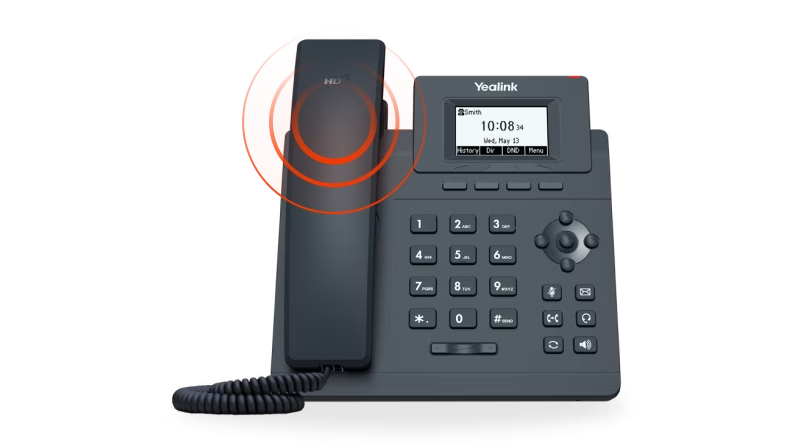
Yealink business desk phone with handset, numeric keypad, navigation buttons, and monochrome display showing time and date.
Budget Friendly
Number Parking Service
(starting at $1.67/mo)

SMS to Email

Announcements

Voicemail to Email

Call Forwarding

Toll Free / Vanity Number

Get Your Quote
30 DAY
MONEY BACK GUARANTEE
Yealink business desk phone with handset, numeric keypad, navigation buttons, and monochrome display showing time and date.
Smart & Scalable
Business Phone Service
(starting at $14.13/mo)

Free Desk Phone

Desktop & Mobile Apps

Local and Toll Free Numbers

Voicemail to Email

Text Messaging

Unlimited Calling

Get Your Quote
30 DAY
MONEY BACK GUARANTEE
Smiling boy holding a soccer ball and talking on the phone with a text message overlay saying, 'Brian, can we hit the ball this afternoon?'
Budget Friendly
Kids Phone Service
(starting at $7.46/mo)

No Apps. No Texts. No Distractions.

No Strangers Allowed

Quiet Time Protected

Unlimited Calling

Emergency-Ready

Get Your Quote
30 DAY
MONEY BACK GUARANTEE
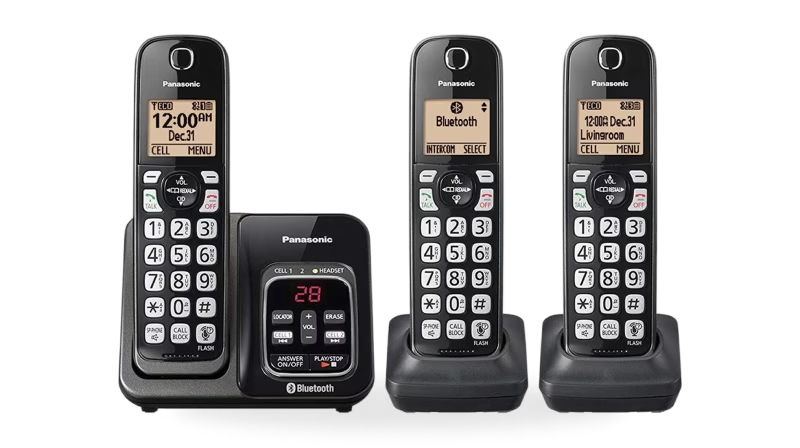
Set of three black Panasonic cordless phones with digital displays and a charging base featuring Bluetooth functionality.
Budget Friendly
Home Phone Service
(starting at $7.46/mo)

Unlimited phone service

Keep your existing number

Free adapter & free shipping

No contracts/setup fees

Use existing analog phone

Get Your Quote
30 DAY
MONEY BACK GUARANTEE
Rotary phone
Budget Friendly
Home Phone Service
(starting at $8.95/mo)
checkmark

Unlimited Phone Service

checkmark

Keep Your Existing Number

checkmark

Free Adapter, Free Shipping

checkmark

No Contracts/Setup Fees

checkmark

Use Existing Analog Phone

Get Your Quote
30 DAY
MONEY BACK GUARANTEE
Yealink business desk phone with handset, numeric keypad, navigation buttons, and monochrome display showing time and date.
Budget Friendly
Online Fax Service
(starting at $9.99/mo)

Desktop and Mobile App

Email To Fax

Dedicated Fax Number

Easily Fax Documents

No Contracts/Setup Fees

Get Your Quote
30 DAY
MONEY BACK GUARANTEE
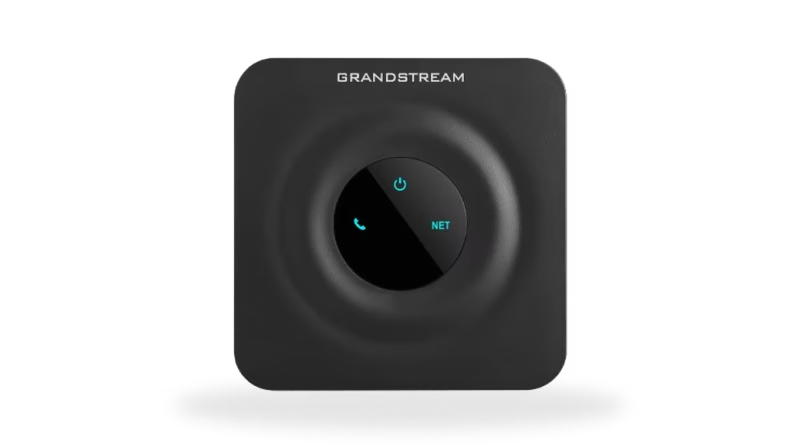
Black Grandstream device with a circular center panel displaying power, phone, and network icons illuminated in blue.
Budget Friendly
Online Internet Service
(starting at $16.95/mo)

Flexible Plans

Everywhere Connectivity

High-Speed Internet on the Go

Reliable Internet Connection

Easy Setup and Access

Get Your Quote
Cartoon illustration of Martin Montemayor
Martin Montemayor
Martin Montemayor is a creative and dedicated Customer Service Representative and Data Analyst at Voiply.
Customer Success and Data Analyst
Why Voiply
LOW-COST PLANS

Why choose Voiply?

Discover affordable VoIP solutions that guarantee exceptional quality and features.

Our cost-effective plans effortlessly retain your current number or facilitate the acquisition of a new one.

We seamlessly streamline the porting process, enabling a seamless transition from your traditional home phone service to our advanced VoIP platform without any disruption in service.

Talk to an Expert at (844) 843-4175

Scalable Business Phone Solutions starting at $4.96/mo

Plans available for solopreneur, remote teams, and hardware-compatible solutions.

Talk to an Expert at (844) 843-4175

REVIEWS

What Real People Say About Us?

Experience why Voiply has become the top-rated home phone provider, trusted by over 50,000 satisfied customers.

I transferred to Voiply services on October 6, 2025, and regret not doing this sooner. I cannot tell any difference in the quality of the voice, communication, and services compared to the previous provider I had, all this at a fraction of the cost. Highly recommended.
Read more
Jeff Smulyan
July 2, 2025
I transferred to Voiply services on October 6, 2025, and regret not doing this sooner. I cannot tell any difference in the quality of the voice, communication, and services compared to the previous provider I had, all this at a fraction of the cost. Highly recommended.
S Emmons Profile Photo
Jeff Smulyan
July 2, 2025
Voiply was able to port verizon home phone to the voip connector to my router. It took awhile to get it away from verizon but as of today it is done, and it costs about $13.79 per month, paid annually. That is a great price for a home phone.
Read more
Dennis
October 17, 2025
Voiply was able to port verizon home phone to the voip connector to my router. It took awhile to get it away from verizon but as of today it is done, and it costs about $13.79 per month, paid annually. That is a great price for a home phone.
S Emmons Profile Photo
Dennis
October 17, 2025
I switched my ATT to Voiply home phone service 2 weeks ago, and am extremely happy with the decision. Voiply not only kept me informed of the progress of equipments shipment, porting updat, and provided step by step installation instructions, they also responded to my questions, by phone, email, and chat, promptly with clarity. I am able to enjoy all the services, including incoming and outgoing caller ID, fax services, etc. that I had with ATT before the switch. I waited for two weeks to make sure the services run smoothly before I posted my opinion about voiply and I can say that I am extremely happy with the results.
Read more
Ronald McKelvey
November 29, 2025
I switched my ATT to Voiply home phone service 2 weeks ago, and am extremely happy with the decision. Voiply not only kept me informed of the progress of equipments shipment, porting updat, and provided step by step installation instructions, they also responded to my questions, by phone, email, and chat, promptly with clarity. I am able to enjoy all the services, including incoming and outgoing caller ID, fax services, etc. that I had with ATT before the switch. I waited for two weeks to make sure the services run smoothly before I posted my opinion about voiply and I can say that I am extremely happy with the results.
S Emmons Profile Photo
Ronald McKelvey
November 29, 2025
If you’re a freelancer or solopreneur looking for a reliable phone system, Voiply is definitely worth checking out. The call quality is super clear, even on their starter plan—which also includes built-in CNAM (a nice bonus you usually pay extra for elsewhere). Right now, they’re offering 50% off, which makes it a no-brainer if you’re just getting set up or want to upgrade your setup without breaking the bank. What really impressed me, though, was their support team. They're available 24/7, quick to respond, and they actually know what they’re doing. That kind of service is rare. Also, their KYC (Know Your Customer) process adds a layer of professionalism that shows they take security and compliance seriously—great if you’re working with sensitive client info. Overall, Voiply just gets what solo professionals need: clarity, support, and a system that works. Big fan.
Read more
Amy M
June 9, 2025
If you’re a freelancer or solopreneur looking for a reliable phone system, Voiply is definitely worth checking out. The call quality is super clear, even on their starter plan—which also includes built-in CNAM (a nice bonus you usually pay extra for elsewhere). Right now, they’re offering 50% off, which makes it a no-brainer if you’re just getting set up or want to upgrade your setup without breaking the bank. What really impressed me, though, was their support team. They're available 24/7, quick to respond, and they actually know what they’re doing. That kind of service is rare. Also, their KYC (Know Your Customer) process adds a layer of professionalism that shows they take security and compliance seriously—great if you’re working with sensitive client info. Overall, Voiply just gets what solo professionals need: clarity, support, and a system that works. Big fan.
S Emmons Profile Photo
Amy M
June 9, 2025
When we first started using Voiply our phone worked from 7 AM until 6 PM weekdays. It didn't work after 6 and on weekends. I put in a call to the support center, and after playing tag for a day and a half I received an e-mail from the Customer Support group. It was something that they have not seen before. After a couple of days and constant updates and request for information they were able to fix my problem. Now my phone works correctly. Throughout the entire ordeal the Customer Support Team made me feel that I was improtant to them, and kept me updated. I appreciated the way they handled my problem, and worked hard to correct it.
Read more
Mark Marinucci
December 15, 2025
When we first started using Voiply our phone worked from 7 AM until 6 PM weekdays. It didn't work after 6 and on weekends. I put in a call to the support center, and after playing tag for a day and a half I received an e-mail from the Customer Support group. It was something that they have not seen before. After a couple of days and constant updates and request for information they were able to fix my problem. Now my phone works correctly. Throughout the entire ordeal the Customer Support Team made me feel that I was improtant to them, and kept me updated. I appreciated the way they handled my problem, and worked hard to correct it.
S Emmons Profile Photo
Mark Marinucci
December 15, 2025
Voiply does have an A+ BBB rating. Just set it all up, was some issues with getting started, but contacted them. Initial communication was easily done through what seemed to be AI generated. Info was sent to a technician who fixed all my issues within the hour. I did not have to stay on the phone while the tech was doing their fix. Once everything was working, the tech sent me an email of his work and asked if all was good. I was able to reply, which is usually not an option to other businesses. Voiply seems to work great. Many features to learn along the way. I hope this will be a long friendship for us. I 100% would recommend this to everyone. The price is right. Just be patient for the initial set up, they are there to help, even with transferring your phone number for free, which many businesses are charging you for.
Read more
John Boardley
August 16, 2025
Voiply does have an A+ BBB rating. Just set it all up, was some issues with getting started, but contacted them. Initial communication was easily done through what seemed to be AI generated. Info was sent to a technician who fixed all my issues within the hour. I did not have to stay on the phone while the tech was doing their fix. Once everything was working, the tech sent me an email of his work and asked if all was good. I was able to reply, which is usually not an option to other businesses. Voiply seems to work great. Many features to learn along the way. I hope this will be a long friendship for us. I 100% would recommend this to everyone. The price is right. Just be patient for the initial set up, they are there to help, even with transferring your phone number for free, which many businesses are charging you for.
S Emmons Profile Photo
John Boardley
August 16, 2025
Very easy to set up. The support team responds promptly. Answers provided the same day. Great value.
Read more
Molly Stern
July 8, 2025
Very easy to set up. The support team responds promptly. Answers provided the same day. Great value.
S Emmons Profile Photo
Molly Stern
July 8, 2025
I recently became a voiply customer. The initial set up was simple. However I had a hard time receiving calls. I call the help desk. The first tech had some problems, but put in a help ticket. I received an email from the second tech. They had no problem fixing my issue. The phone now works as it should.
Read more
Donnelll Hanson
December 8, 2025
I recently became a voiply customer. The initial set up was simple. However I had a hard time receiving calls. I call the help desk. The first tech had some problems, but put in a help ticket. I received an email from the second tech. They had no problem fixing my issue. The phone now works as it should.
S Emmons Profile Photo
Donnelll Hanson
December 8, 2025
Voiply people and even their BOT have been very helpful. I've had the phone equipment since March 2025 but I hadn't tried to set it up until tonight. I had to wait to get a call back, but once the call came through, a wonderful agent named Blest helped me understand how to complete the process. Thank you!
Read more
Lynn Hartung
August 24, 2025
Voiply people and even their BOT have been very helpful. I've had the phone equipment since March 2025 but I hadn't tried to set it up until tonight. I had to wait to get a call back, but once the call came through, a wonderful agent named Blest helped me understand how to complete the process. Thank you!
S Emmons Profile Photo
Lynn Hartung
August 24, 2025