Bringing home something new often comes with expectations. When you bring home a puppy, you can expect lots of cuddles alongside the occasional accident on the carpet. With a new robot vacuum, you can expect to spend a few days getting the mapping and scheduling dialed in. But what should you expect when you switch to an entirely new phone technology?
Trying a new phone system at home might feel like a big change, but switching to a residential VoIP phone service is easier than you might think. You still pick up the phone and dial like you always have. The real difference is in how the call travels and the quiet little features working behind the scenes to make things smoother.
So, what should you expect in your first week switching to VoIP? You might be surprised by how normal it feels and how quickly it fits into your routine.
Day 1: A Quick and Simple Setup
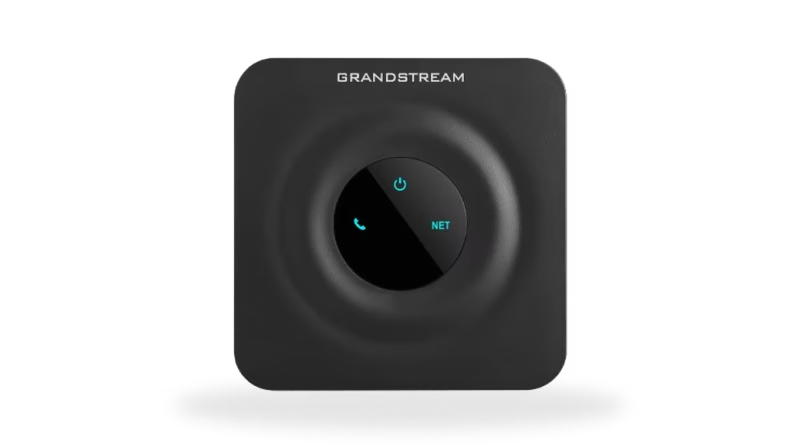
On day one, you'll get your VoIP adapter or device and plug it into your internet modem or router. That's usually the most "technical" part of the process. While setting up new technology can feel daunting, with most VoIP phones, installation is as easy as plugging in a phone charger.
Before you plug things in, make sure your internet is running smoothly and up to speed. That way, if any problems pop up, you'll know that it isn't due to your internet. You can do this quickly by playing a YouTube video or streaming a TV show, checking for any lengthy buffering. If the video content runs smoothly, your internet connection should be sufficient for your VoIP phone.
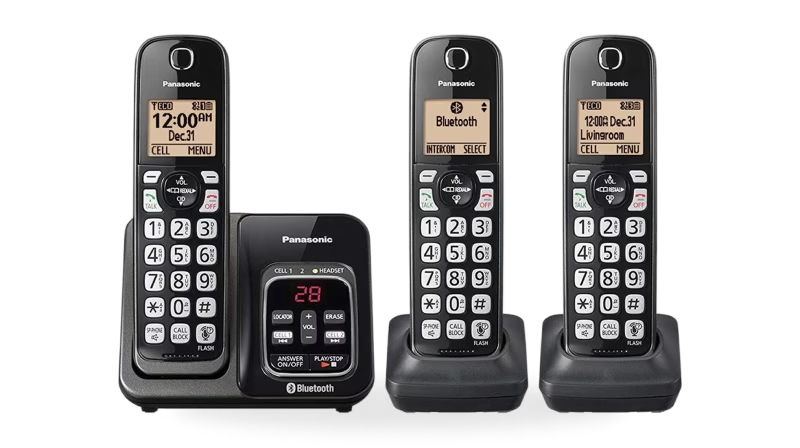
Your device should come with specific instructions on how the setup works. Typically, it's simply plugging the device in. You can use the same phone you've always used. Plug its cable into the adapter for your VoIP system. That then connects to your router with a cable. Within a few seconds, you should hear a dial tone.
With a VoIP phone, there's no complex installation process or waiting for a technician to show up. It's a plug-and-play home phone service that makes setting up a traditional home phone look like rocket science.
Day 2–3: Checking the Basics
Now that your phone's up and running, the next day or two is a great time to explore a few of the basic features. You might want to:
- Register your 911 address. Your system will likely prompt you to register your address once the phone is up and running. This essential task makes sure that, in the event of an emergency, first responders know where to go.
- Set up your voicemail. VoIP phone services feature standard voicemail boxes, as well as direct-to-email capabilities. It's best to set these up sooner rather than later so you don't miss any messages.
- Get your contacts in order. Now is a good time to set up some essential numbers on your speed dial and input your contacts. That way, when a call comes in, you know who it is.
- Take it for a test drive. Make a few calls to test the sound quality and confirm that calls are going through on your end. Have a friend call you, too, so you know the ringer works.
If you're helping a senior or less tech-savvy family member get started, walk them through how the phone rings, how to check voicemail, and what to do if a suspicious number shows up. VoIP phones are a great, easy-setup home phone for seniors because they are simple to manage once you explain the basics.
If you've used a landline before, you'll likely notice calls are actually clearer with your new system. That's one of the underrated perks of VoIP: voice clarity is often better than what you're used to, especially if your old landline had any crackle or static.
Day 4–5: Everything Starts to Feel Normal
By midweek, most of the adjustment period is over. You've likely stopped thinking about whether it's working, because it simply is. You pick up the phone, make a call, and hang up. Nothing feels different, and that's the point.
By now, you may also have noticed that you are getting fewer spam calls than you used to. One of the best perks of a VoIP phone service is the built-in spam call protection. These settings are enabled by default and use an up-to-date database of spam numbers to block or flag calls. Fewer spam calls mean fewer interruptions, and everybody can appreciate that.
Day 6–7: Set It and Forget It
By the end of the first week, your VoIP home phone should feel like it's always been there. You're no longer thinking about "the new phone." It's just your phone, only now with fewer nuisance calls, clearer audio, and often a lower bill.
You're not dealing with cell dead zones, dropped calls, or unreliable service. And if you're in a rural area, you may notice that the connection stays steady even when mobile phones don't.
Best of all, there's no need to learn anything new. You're using the same phone habits you've always used; everything just works a little better now.
Common Questions During the First Week
As with anything new, a few questions might pop up during your first few days. Here are some answers to the most common ones:
Will my internet slow down while I'm on a call?
Nope. VoIP phones use very little bandwidth, much less than streaming or browsing.
What if I lose my internet?
If your connection goes out completely, the phone won't work during that time. But many systems let you forward calls to your cell phone so you never miss important ones.
How do international calls work?
You don't need to do anything special to get in touch with loved ones abroad. Simply dial their number and catch up.
VoIP: The Easy Call to Make
The term "VoIP" might sound like it belongs in a tech store or IT office, but for you, it just means a home phone that uses your internet to make calls. That's it. There's no learning curve, no tricky menus, and no need for extra gadgets.
With a simple setup and helpful features, you may wonder after the first week why you didn't switch sooner. VoIP phone services were meant to fit into your life, not cause headaches.
So if you're curious or considering the switch, rest assured that the first week with a VoIP home phone is refreshingly uneventful, and that's a very good thing.
Video
Infographic
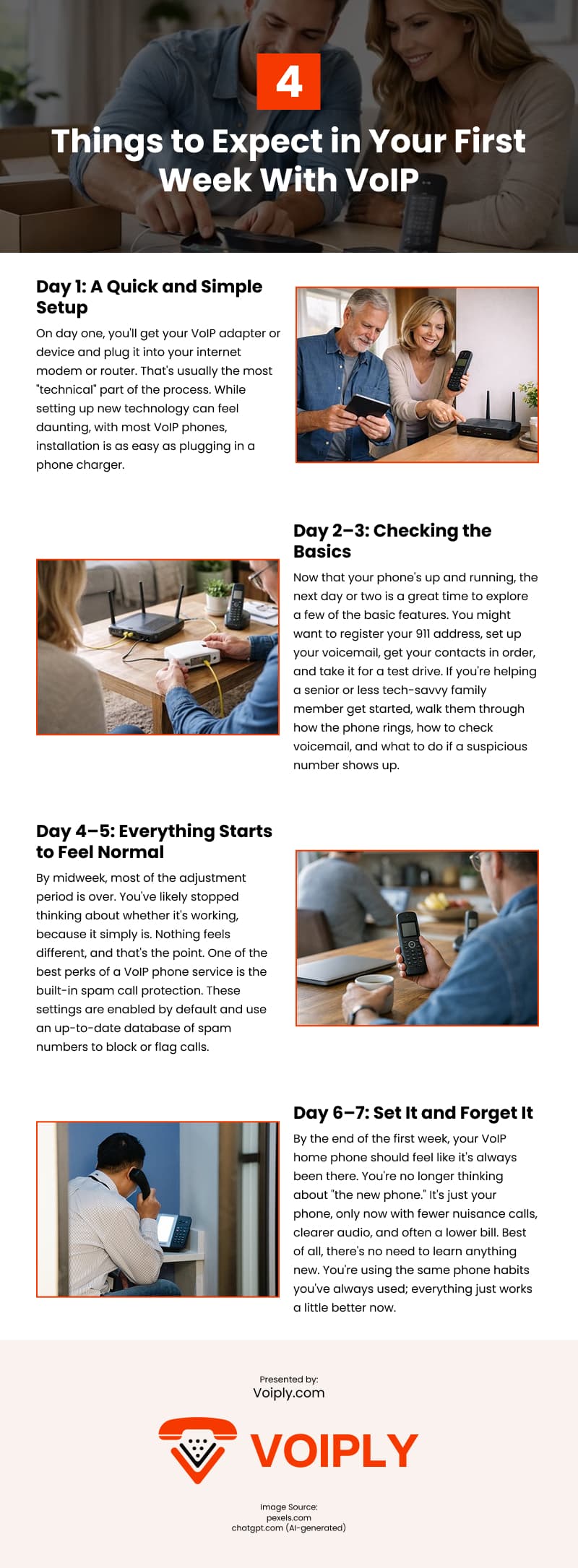
Switching to a residential VoIP phone service is easier than most people expect, and the adjustment period is often surprisingly quick. This infographic shows what to expect during your first week with VoIP.
MONEY BACK GUARANTEE

SMS to Email
Announcements
Voicemail to Email
Call Forwarding
Toll Free / Vanity Number
or call (844) 843-4175
MONEY BACK GUARANTEE
Free Desk Phone
Desktop & Mobile Apps
Local and Toll Free Numbers
Voicemail to Email
Text Messaging
Unlimited Calling
or call (844) 843-4174
MONEY BACK GUARANTEE

No Apps. No Texts. No Distractions.
No Strangers Allowed
Quiet Time Protected
Unlimited Calling
Emergency-Ready
or call (844) 843-4175
MONEY BACK GUARANTEE
Unlimited phone service
Keep your existing number
Free adapter & free shipping
No contracts/setup fees
Use existing analog phone
or call (844) 843-4175
MONEY BACK GUARANTEE


Unlimited Phone Service
Keep Your Existing Number
Free Adapter, Free Shipping
No Contracts/Setup Fees
Use Existing Analog Phone
or call (844) 843-4175
MONEY BACK GUARANTEE
Desktop and Mobile App
Email To Fax
Dedicated Fax Number
Easily Fax Documents
No Contracts/Setup Fees
or call (844) 843-4175
MONEY BACK GUARANTEE
Flexible Plans
Everywhere Connectivity
High-Speed Internet on the Go
Reliable Internet Connection
Easy Setup and Access
or call (844) 843-4175