When you and your team aren't walking into the same office every day, staying connected takes more planning. Clear communication becomes the backbone of your business. Remote teams rely on steady routines, shared expectations, and tools that help everyone stay in sync. An internet-based phone system supports these needs by providing your team with reliable calling and easy ways to stay organized.
Many businesses now have employees who work from home full-time or split time between home and the office. A modern business phone service adapts to this environment without requiring new phone lines or complicated setups.
With the right communication setup, remote work feels manageable instead of messy. Your team knows how to communicate effectively, and your system supports both daily operations and long-term goals. The strategies below can help you build a remote work environment where communication stays clear, consistent, and dependable.
Establish Clear Communication Routines
Remote teams work best when everyone knows what is expected of them. Clear communication routines remove guesswork and help your employees stay focused. When you explain how and when your team should use the phone system, it becomes a regular part of their daily routine, rather than an afterthought.
You can start by setting simple guidelines. Let your team know when they should be available during the workday, how often they should check voicemail, and when a phone call is better than an email. These expectations reduce confusion and help employees make better choices about how they communicate.
Clear routines bring stability to remote work. Your team spends less time guessing and more time doing their jobs well. Communication becomes part of the workflow instead of a disruption, which helps everyone stay productive no matter where they are working.
Use Device Flexibility for Different Workstyles
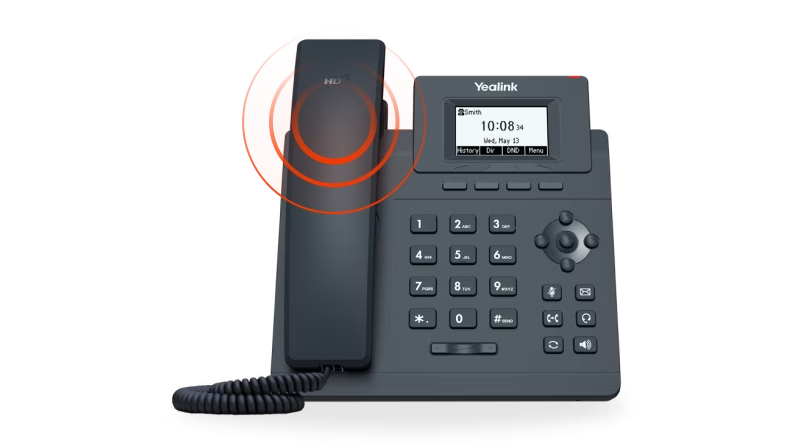
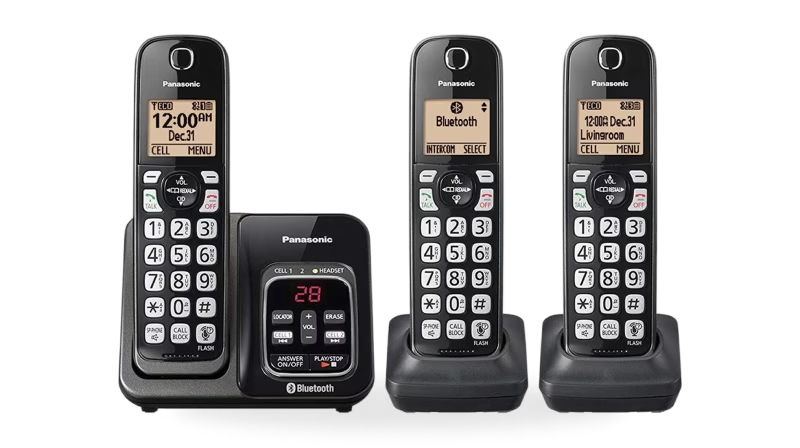
Remote employees do not all work the same way. Some prefer sitting at a desk with a dedicated phone, while others move around throughout the day or take their work to a library or quiet coffee shop. A flexible phone system allows your team to stay connected without forcing everyone into the same setup. Internet-based calling works with desk phones, mobile apps, and computer-based calling, allowing employees to choose the option that best fits their routine.
Mobile apps allow employees to answer calls while traveling for work or moving between locations. Desk phones are ideal for those who prefer a clear separation between work and personal devices and value consistent sound quality. Computer calling works well for employees who spend most of their day working on a laptop and want everything in one place.
Regardless of how they use their internet-based phone service, your team remains accessible without being tied to a single location. VoIP phone service providers for small businesses offer all these options and make it seamless to switch between them.
This flexibility becomes especially useful during busy periods or when schedules change. One employee may need to step away while another handles incoming calls. With the right setup, calls still get answered, and information flows where it needs to go. Supporting different workstyles shows your team that you trust them to manage their time while still meeting business needs.
A system that adapts to how people actually work creates a more comfortable and productive environment. Employees feel supported instead of restricted, which often leads to better focus and stronger results.
Take Advantage of Organized Call Features
Running a business means juggling a lot of information, and phone calls are no exception. When messages get lost or calls go unanswered, productivity suffers. A well-organized phone system helps your team stay on top of communication without wasting time searching for details or switching between devices.
Internet-based phone systems include features that help employees manage calls more efficiently, such as:
- Voicemail delivered to email so that they can review and answer messages alongside other work
- Call logs that track missed calls and follow-ups
- Caller ID that provides helpful context before answering the phone
These tools make it easier for employees to stay organized and respond quickly. When communication is easier to manage, your team spends less time tracking down information and more time focusing on their work.
Create Availability Standards That Support Teamwork
One of the biggest challenges in remote work is balancing flexibility with availability. Employees value freedom in their schedules, but your business still needs reliable communication. Clear availability standards help everyone understand when and how to stay connected.
Internet-based phone systems make it easy to set expectations for working hours, breaks, and response times. Team members can update their status, forward calls, or set quiet hours when needed. These tools help coworkers know when someone is available without constant check-ins or interruptions.
Call forwarding plays a key role here. If an employee steps away, calls can be sent to another device or teammate. This feature keeps work moving and ensures customers or coworkers are not left waiting. These habits promote teamwork and show shared responsibility for keeping communication flowing.
Clear standards help your team work together smoothly while still respecting personal boundaries. Everyone knows what is expected, which builds trust and reliability across the organization.
Train and Set Clear Expectations
Even the best tools fall short if people do not know how to use them. Training ensures your team gets the full benefit of your phone system. Short sessions, simple guides, or quick walkthroughs can make a big difference.
While internet-based phone systems are intuitive, brief training helps employees discover features they may not use otherwise.
Training helps employees understand how to handle calls, manage voicemail, set their status, and choose the right devices. Clear instructions reduce uncertainty and build confidence. When employees know what to do, they spend less time troubleshooting and more time focusing on their work.
Setting expectations early is just as important. Explain how your team should use call logs, voicemail, and availability settings. Consistent habits lead to smoother communication and fewer misunderstandings.
A shared foundation helps your team work together more effectively. With the right guidance, employees feel supported and prepared.
An Internet-Based Communication Strategy for Your Remote Team
A thoughtful communication strategy prepares your business for the future. Internet-based phone systems scale easily, allowing you to add users, adjust call flows, and grow without significant disruptions. Using a VoIP phone service for your small business gives you flexibility as your needs change.
Call data and logs can also provide insight into how your team communicates. Reviewing patterns helps you identify what works well and where improvements are needed. Instead of guessing, you can make informed decisions that promote efficiency.
As your business grows, your communication tools grow with it. A strong strategy supports stability and confidence, no matter where work happens.