Available 24/7/365
Talk to an Expert
Open 24/7/365

How to Make Sure Your Home VoIP Phone Is Emergency Ready

landline phone
Written by
Shea Georgetti
Published on
July 30, 2026
Read Time
8
min read time
Loading the Elevenlabs Text to Speech AudioNative Player...

If you use a VoIP phone service for your home, emergency readiness starts with one simple question: Will this phone work the way you expect when the pressure is high? That question matters because emergencies don't leave room for confusion. You want the phone to be easy to find, easy to use, and connected to the right address.

A lot of people focus on features when they set up home phone service. Emergency readiness depends on more basic things. Your address has to be registered correctly. Your equipment needs backup power. The phone itself should stay usable even if the lights go out. Everyone in the house should know where it is and how to use it.

That kind of preparation doesn't take long, but it makes a real difference. A home phone becomes far more dependable when you know it is set up for the moments that matter most.

Why Emergency Setup Deserves Special Attention

A VoIP (Voice over Internet Protocol) phone works through your internet connection, which means its emergency readiness depends on more than the handset on the table. Your modem, router, and phone adapter all play a role. If one part fails or goes offline, the phone may stop working.

That doesn't make VoIP a bad option. It means you should treat emergency setup as part of the installation, not as something you'll get to later. Once you do that, the service becomes much more practical and much easier to trust.

This is also where familiarity matters. In an emergency, people reach for what they know. A home phone in a clear, consistent place gives everyone in the house one dependable point of contact.

Confirm Your E911 Address First

The first thing to check is your E911 address. Your provider needs the correct service address on file so emergency responders are directed to the right location. If you move, change units, or use the service at a seasonal home, update that address right away.

This step is easy to overlook because the phone may seem to work fine for everyday calls. Emergency calling is different. The address information has to be accurate before you need it, not after.

Take a few minutes to log in or contact your provider and confirm the details exactly as they should appear. That includes the house number, street name, apartment or unit number, and anything else needed to clearly identify the location.

Use a Phone That Stays Practical During an Outage

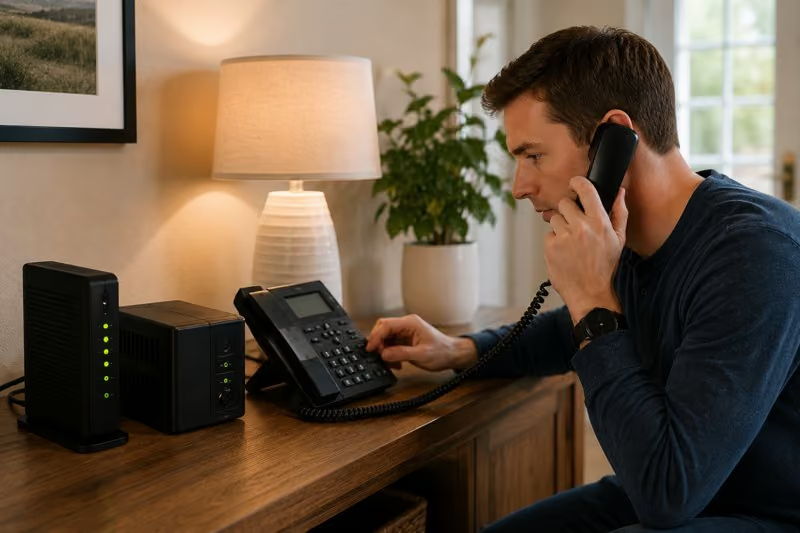
A corded phone is often the simplest choice for emergency use because it doesn't depend on a handset battery. If you prefer a cordless phone, choose one with a base that can stay powered through backup support, and make sure the handsets stay charged.

This is less about preference and more about reducing weak points. In a stressful moment, you don't want to discover that the cordless handset battery is low or missing from the room where you expected it to be.

It also helps to keep the emergency-ready phone in a stable, easy-to-reach location. Kitchens, main hallways, and common living areas tend to work better than tucked-away offices or spare rooms.

Give Your Equipment Backup Power

Your VoIP phone depends on the equipment behind it. If the modem, router, or VoIP adapter loses power, the phone may stop working even if the service remains available. A battery backup or uninterruptible power supply (UPS) can help bridge short outages and keep your system running long enough to place important calls.

You don't need to make the setup overly complicated. The goal is to keep the key pieces powered and improve reliability during short power interruptions and weather-related outages. It gives your phone a better chance of staying active when the rest of the house goes dark.

Test The Setup The Right Way

Once your address and equipment are in order, test the setup using your provider's instructions. Don't assume it is ready because the phone has a dial tone. Everyday calling and emergency calling are related, but they aren't the same thing.

Your provider may have a specific method for verifying emergency readiness without creating confusion for local dispatch. Follow those instructions closely. The point is to confirm the setup safely and correctly.

You should also test the broader experience inside the home. Make sure the phone rings clearly, stays in a consistent location, and feels familiar to the people who may need it.

Make Sure Everyone Knows Where The Phone Is

An emergency-ready phone helps most when everyone in the house knows where to find it. That can make a big difference for children, older adults, overnight guests, and anyone who may need to act quickly while someone else is unable to.

Keep the placement simple and consistent. Avoid moving the phone around from room to room. If your household relies on one main emergency phone, treat that spot as fixed.

It can also help to review a few basics with the household, such as:

  • Where the phone is located
  • How to pick it up and place a call
  • When to use it instead of searching for a mobile phone

Just like any emergency plan, this can help remove hesitation and make sure the system serves its intended purpose.

Review Your Setup After Changes

Emergency readiness is not a one-time task. If you move, replace equipment, change your internet setup, or shift the phone to another property, review the basics again. Small changes can affect your reliability if not properly checked.

You should revisit:

  • Your registered E911 address
  • Your backup power setup
  • Where your phone equipment is located in the home
  • Any provider guidance about testing

A quick review after major changes helps keep the setup dependable without turning it into a major project.

Keep Reliability And Familiarity at the Center

A home VoIP phone is most useful in an emergency when it feels simple, stable, and familiar. Fancy features don't matter much in the moment of an emergency. Correct address information, backup power, and a phone everyone can find matter much more.

That is the standard to aim for. You want a reliable home phone service that supports calm action under stress. If you haven't reviewed your emergency readiness recently, now is a good time to do it. A few small checks can make your home phone far more dependable.

30 DAY
MONEY BACK GUARANTEE
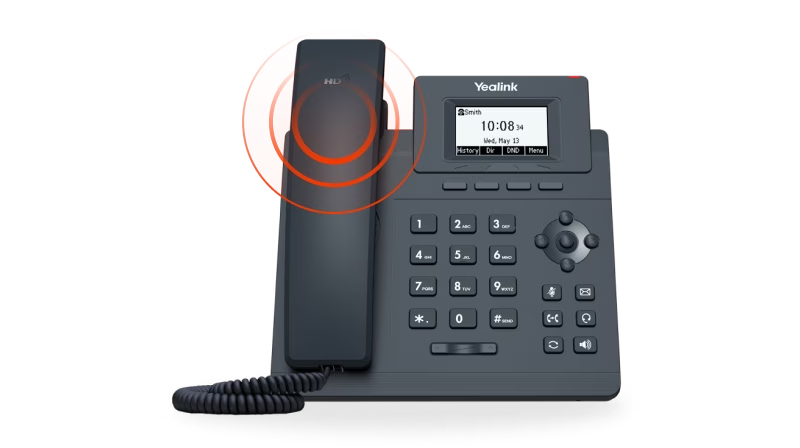
Yealink business desk phone with handset, numeric keypad, navigation buttons, and monochrome display showing time and date.
Budget Friendly
Number Parking Service
(starting at $1.67/mo)
Check Circle Icon

SMS to Email

Check Circle Icon

Announcements

Check Circle Icon

Voicemail to Email

Check Circle Icon

Call Forwarding

Check Circle Icon

Toll Free / Vanity Number

Get Your Quote
30 DAY
MONEY BACK GUARANTEE
Yealink business desk phone with handset, numeric keypad, navigation buttons, and monochrome display showing time and date.
Smart & Scalable
Business Phone Service
(starting at $14.13/mo)
Check Circle Icon

Free Desk Phone

Check Circle Icon

Desktop & Mobile Apps

Check Circle Icon

Local and Toll Free Numbers

Check Circle Icon

Voicemail to Email

Check Circle Icon

Text Messaging

Check Circle Icon

Unlimited Calling

Get Your Quote
30 DAY
MONEY BACK GUARANTEE
Smiling boy holding a soccer ball and talking on the phone with a text message overlay saying, 'Brian, can we hit the ball this afternoon?'
Budget Friendly
Kids Phone Service
(starting at $7.46/mo)
Check Circle Icon

No Apps. No Texts. No Distractions.

Check Circle Icon

No Strangers Allowed

Check Circle Icon

Quiet Time Protected

Check Circle Icon

Unlimited Calling

Check Circle Icon

Emergency-Ready

Get Your Quote
30 DAY
MONEY BACK GUARANTEE
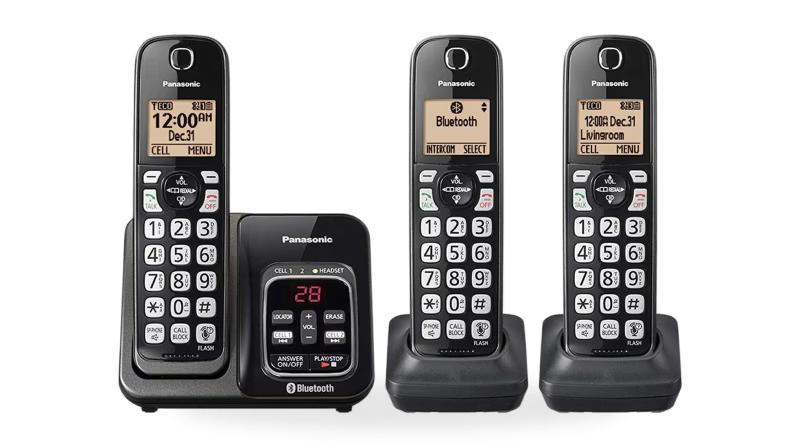
Set of three black Panasonic cordless phones with digital displays and a charging base featuring Bluetooth functionality.
Budget Friendly
Home Phone Service
(starting at $7.46/mo)
Check Circle Icon

Unlimited phone service

Check Circle Icon

Keep your existing number

Check Circle Icon

Free adapter & free shipping

Check Circle Icon

No contracts/setup fees

Check Circle Icon

Use existing analog phone

Get Your Quote
30 DAY
MONEY BACK GUARANTEE
Rotary phone
Budget Friendly
Home Phone Service
(starting at $8.95/mo)
checkmark

Unlimited Phone Service

checkmark

Keep Your Existing Number

checkmark

Free Adapter, Free Shipping

checkmark

No Contracts/Setup Fees

checkmark

Use Existing Analog Phone

Get Your Quote
30 DAY
MONEY BACK GUARANTEE
Yealink business desk phone with handset, numeric keypad, navigation buttons, and monochrome display showing time and date.
Budget Friendly
Online Fax Service
(starting at $9.99/mo)
Check Circle Icon

Desktop and Mobile App

Check Circle Icon

Email To Fax

Check Circle Icon

Dedicated Fax Number

Check Circle Icon

Easily Fax Documents

Check Circle Icon

No Contracts/Setup Fees

Get Your Quote
30 DAY
MONEY BACK GUARANTEE
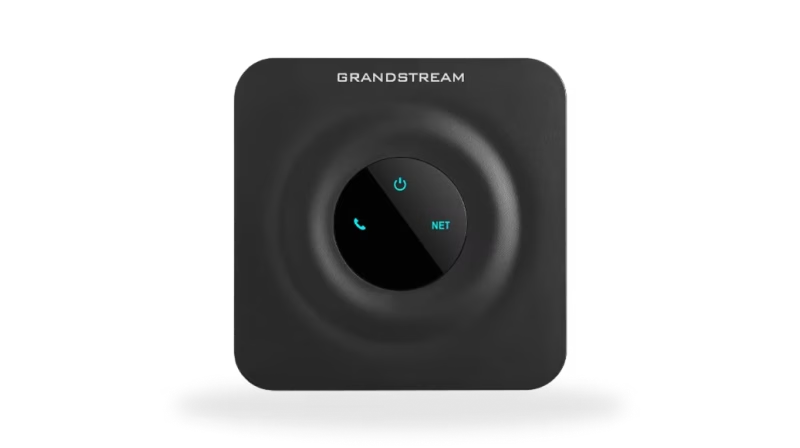
Black Grandstream device with a circular center panel displaying power, phone, and network icons illuminated in blue.
Budget Friendly
Online Internet Service
(starting at $16.95/mo)
Check Circle Icon

Flexible Plans

Check Circle Icon

Everywhere Connectivity

Check Circle Icon

High-Speed Internet on the Go

Check Circle Icon

Reliable Internet Connection

Check Circle Icon

Easy Setup and Access

Get Your Quote
Cartoon of Shea Georgetti
Shea Georgetti
Shea Georgetti is a co-founder and CEO at Voiply, where he leads a team dedicated to transforming communication in businesses. Inspired by books like Atomic Habits, The One Thing, and Goodbye Things, Shea values patience and positivity.
Co-founder and CEO
Why Voiply
LOW-COST PLANS

Why choose Voiply?

Discover affordable VoIP solutions that guarantee exceptional quality and features.

Our cost-effective plans effortlessly retain your current number or facilitate the acquisition of a new one.

We seamlessly streamline the porting process, enabling a seamless transition from your traditional home phone service to our advanced VoIP platform without any disruption in service.

Talk to an Expert at (844) 843-4175

Unlimited Home Phone Service for $7.46/mo

Keep your existing number and switch to a VoIP landline in minutes. The average Voiply customers saves $380/year on home phone costs.

Talk to an Expert at (844) 843-4175

REVIEWS

What Real People Say About Us?

Experience why Voiply has become the top-rated home phone provider, trusted by over 50,000 satisfied customers.

Voiply is an internet based low cost alternative to a land line which we keep because it's the phone my husband will reliably answer and where we get calls from old friends. It has not been without issues, but their service is really good at resolving them. I am happy with their service and will continue to use Voiply. I particularly like that they transcribe voicemails and send them to my email.
S Emmons Profile Photo
Susan Chapman
June 20, 2026
We switched to Voiply after our current VOIP provider increased our rates 60% without warning (and we had been with them for over a decade). What a difference! They helped immediately with porting issues then fixed the mobile app so that we could get incoming calls. We were up and running within a day of the port completion. Our previous VOIP provider took days to fix an issue - Voiply fixed problems within minutes of our report. So customer support definitely gets five stars from us! The Voiply price is also more reasonable so that was very helpful. And both the web interface and mobile app were well written (I'm a software consultant/developer). I've added a picture of the Grandstream device that Voiply supplies for free. Besides power, it has inputs for a phone (RJ11) and an ethernet connection (RJ45). It is programmed to get a DHCP address on your internal network so be sure to allot some addressed on your firewall router for DHCP. We are glad that we ported to Voiply - what a difference from our previous supplier.
S Emmons Profile Photo
Robert Ingham
June 19, 2026
I found Voiply via a Google search for low cost VOIP service providers. I wanted to switch from a current more expensive provider that never responds to calls or emails. After reviewing the websites of the various providers, I decided to give Voiply a call. The first thing that I was impressed by was how quickly they answer the phone. They answered all my questions, so I signed up easily from their website. The app is very intuitive and I was up and running in minutes. I had one small provisioning issue and I entered a ticket on the web. Within an hour or two, the issue was resolved with follow up text messages, emails and a call from tech support. It doesn't get any better than that. You guys knocked it out of the park! Keep it up Voiply family :)
S Emmons Profile Photo
Jim Grason
June 12, 2026
Overall, great value for the money. Incredibly responsive customer support. Pretty easy to use on mobile. I'd say the mobile app could still improve though. Photos come through as a hyperlink you have to click, and no way to send photos. And you can't copy and paste messages. But again, for the money, great value for the solopreneur or small business.
S Emmons Profile Photo
Eve Evans
June 9, 2026
We tried Voiply because the prices were very competitive. But the customer support is why I am leaving this review. Our rotary dial phone needed a little extra configuration so the older technology worked with the adaptor. Customer support was immediately responsive and persistent until a resolution (and a working rotary phone!) was achieved. I appreciated how Voiply didn't shy away from supporting a niche request.
S Emmons Profile Photo
Steph Miller
May 21, 2026
Voiply was the most competitive residential VOIP provider I could find. So far (a few months), they've been very efficient and responsive. Voice quality is very good and features are robust. Easy to set up and half the price of AT&T VOIP (1/5 of a landline). Just be sure you have at least 24 hr. power backup for your VOIP adapter and modem/router in case of a blackout.
S Emmons Profile Photo
Dennis Cline
March 8, 2026
I really wanted a home phone instead of only a cell phone, and Voiply offered the perfect service. The price is reasonable and the service is exceptional; when I experienced technical issues recently, the help was immediate and thorough. My issue was solved in less than a day, and the service representative followed up personally to make sure everything had turned out alright.
S Emmons Profile Photo
Jason Gelt
February 27, 2026
I was with another voip company for a few years. It was a disaster. I finally found VOIPLY and signed on. After being with VOIPLY for more than two years, I am thrilled to say that it is wonderful to speak to a human for great customer service. I get international calling free to most countries as well. They have great plans to suit everyone.
S Emmons Profile Photo
Diane N
February 24, 2026
I switched to Voiply 2 years ago to cut costs, but now I wouldn’t go back to my old phone service even if it were cheaper. The few times I have needed to reach out to support (mostly user error!) they have been very knowledgeable, professional, and quick to identify and correct the issue. And now I have service anywhere with an internet connection or cell signal. Super convenient on my cell or laptop when I’m rarely at home, but my elderly father in law still can use the regular phones too. And the email transcripts of voicemails is a lifesaver! Not a single complaint except wish I had switched sooner. And call quality is NOT like old school VOIP, it is never choppy or dropping calls, sounds better and clearer and more reliable than my old landline service. Recommend 100%
S Emmons Profile Photo
Heather Greer
February 5, 2026